


Demo Spellbook, get an Oura Ring 5*
See how Spellbook helps legal teams draft contracts faster than ever before.
Book Demo

The best ai document tool for legal teams depends on whether a team needs to draft a document, edit one, or produce language grounded in its own precedent.
This guide compares six AI legal writing tools for legal teams: Spellbook, Draftwise, Wordsmith, BriefCatch, CoCounsel Legal, and the general chat models most lawyers try first. Each entry states what the tool drafts, where its language comes from, what it will not do, and what it costs.
Those four questions matter more than feature counts, because a tool that drafts inside the document rather than beside it changes what a lawyer actually does with the output, and the source of a tool's language decides whether the first draft reads like the team's own paper or like generic contract prose.
[cta-1]
Key takeaways
- The best AI for legal writing is decided by where a tool's language comes from: a team's own signed precedent and playbooks, a licensed third-party library, or general training data.
- One of the six tools compared here works on an existing draft rather than generating new clauses or agreements, which makes it the wrong choice for a blank page and the right one for a near-final document.
- No single product is the best AI for legal writing across every document type, because drafting a commercial agreement, answering an inbound request, and tightening a finished draft are three different jobs.
- Grounding an AI drafting tool in real source documents reduces invention without removing it, which is why the grounding source is the capability worth interrogating before the feature list.
- Exactly one of the six vendors publishes a seat rate. The rest quote by team size or by deal.
- Running in Microsoft Word is a workflow decision, not a convenience one, because a tool outside the document returns prose that a lawyer then has to turn back into tracked changes.
The best AI document tools for legal teams
The best AI document tool for legal teams is the one whose language source matches the work, so this comparison sorts the six options by what each one drafts and where that draft comes from rather than by brand recognition. Each row gives the grounding source, whether the tool runs inside Microsoft Word, and whether the vendor publishes a rate.
What the columns in this comparison mean
The grounding column is the one to read first, because it decides how much editing a first draft needs. The Word column distinguishes a tool that writes into the live document from one that returns text to be moved there by hand. The cost column records only what a vendor publishes on its own site, so a blank means the vendor does not publish a rate, not that the tool is expensive. The final row is a category rather than a single product, covering the general chat models a team is most likely to have already tried.
The six best AI tools for writing legal documents
The best AI for writing legal documents is not a single product, because the six tools below answer four different jobs: drafting from a team's own paper, drafting from licensed content, editing a draft that already exists, and answering a general question for free. The entries are ordered by how much of a commercial team's drafting work each one can carry, and every entry states a limitation alongside the capability.
1. Spellbook (best for drafting commercial agreements from a team's own precedent)
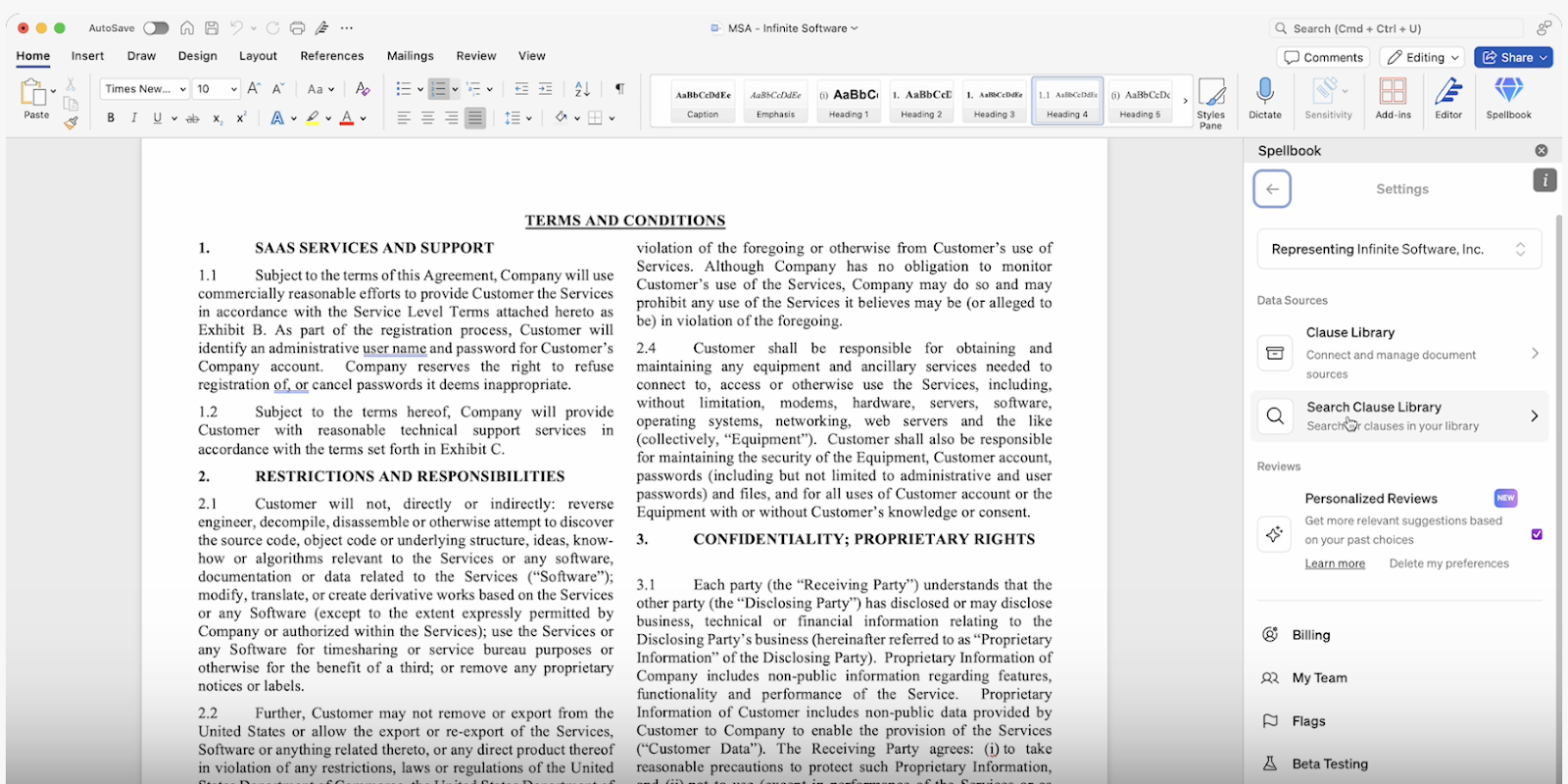
Spellbook is an AI platform for commercial legal work that runs inside Microsoft Word. The Draft feature generates new clauses, full agreements, and document-wide revisions using GPT-5, grounded in the team's own precedents, playbooks, and clause library rather than in a blank page.
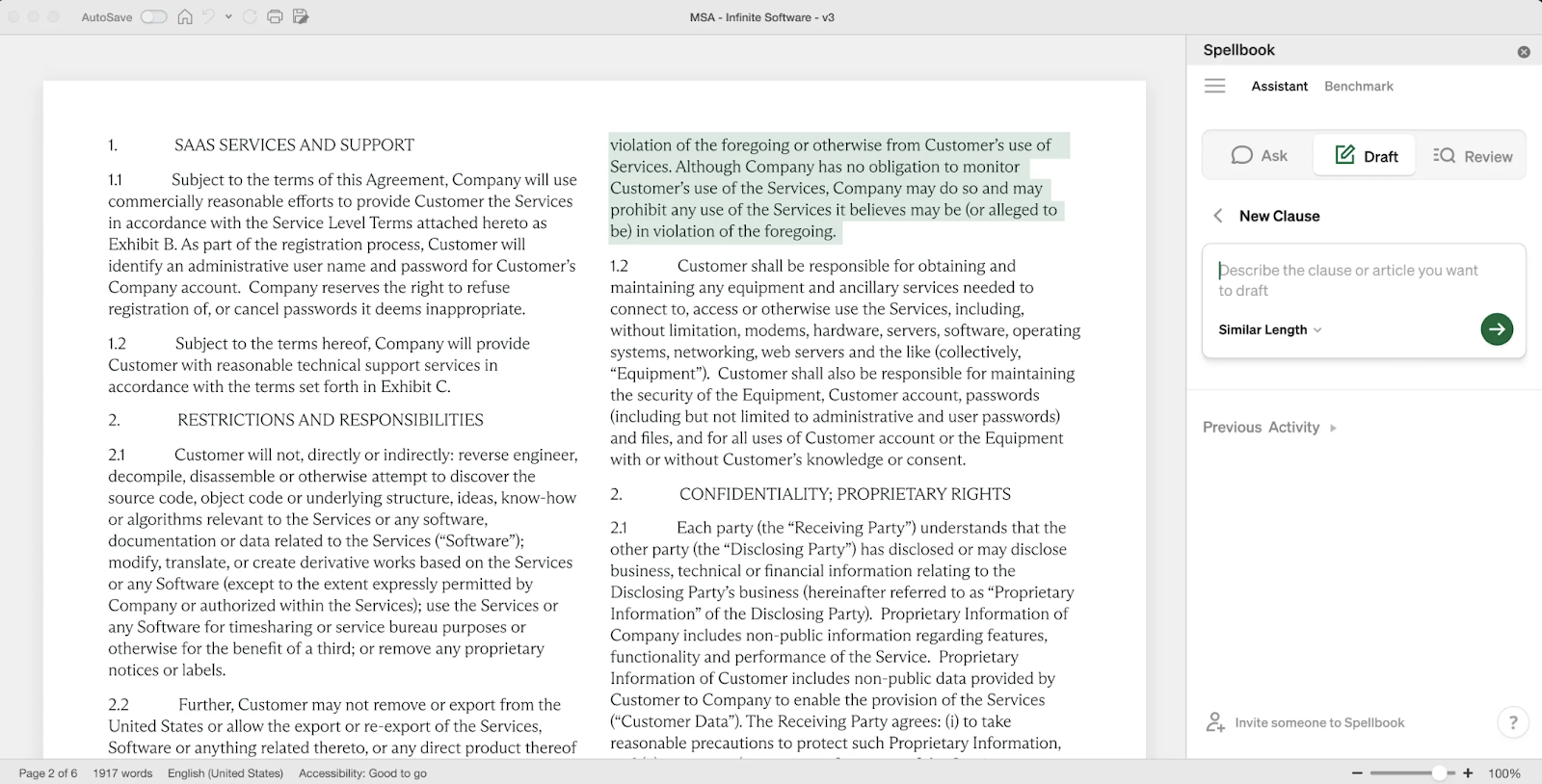
That grounding is what separates Spellbook from the entries here that draft from licensed content or from general training data. A team that has negotiated the same limitation of liability position many times already owns the language it wants, and the work is finding that language rather than writing it again. The clause library mechanic is what makes that precedent reachable mid-draft.
Key features
- Draft: generates a new clause from a plain-language description, drafts a full agreement from a saved template or a blank state, continues from the cursor with autocomplete, and applies rule-based revisions across the whole document in one action.
- Clause Library: stores and searches the team's own precedent clauses and inserts them into the active contract, adapting to its defined terms.
- Review: runs a first-pass contract review that flags risks, errors, and missing terms, then proposes redlines using Word's native Track Changes.
- Playbooks: enforces the team's primary and fallback positions automatically on every review.
- Compare to Market: benchmarks 270+ clause types against 20M+ real contracts and 2,300+ benchmark standards, so a market standard claim in negotiation can be answered with data.
- Associate: plans and executes work across multiple documents in a single project, with lawyer oversight at every step.
Pros
- Drafts from the team's own signed precedent and playbooks, so a first draft starts from house language rather than generic contract prose.
- Runs as a Word add-in, so the output arrives as tracked changes in the document instead of as prose to be retyped.
- Carries a market benchmarking capability alongside drafting.
- Publishes a free seven-day trial that starts without a sales call or an implementation project.
Cons
- A commercial-contract specialist rather than a legal-research or litigation platform, so a litigator still needs a research tool alongside it.
- Several post-signature capabilities, including the Repository and the Reminders feature, are in development rather than generally available.
- The grounding advantage depends on the team having precedent worth reusing, so a team starting from nothing sees less of it in week one.
Best for: In-house legal teams and law firms running high volumes of commercial agreements, particularly teams whose preferred positions already exist in past paper and are currently buried in a shared drive.
What the vendor publishes
Spellbook reports serving 5,000+ in-house teams and law firms across 80+ countries, and describes the time saving as up to 75% of the hours a team spends on contract work. Justin Monahan, a mixed-practice lawyer at KMSC Law, used it to draft a mutual early termination of a farm lease and said that it gave him the base document, and that after a few commands to fill in the gaps, the agreement was done.
2. Draftwise (best for drafting from a firm's signed agreement set)
Draftwise is a drafting and redlining tool for transactional law firms, judged here alongside the wider category of contract drafting software on the same axis as every other entry: where its language comes from. Draftwise builds its suggestions from the firm's own executed agreements and the negotiation outcomes attached to them, so it treats a precedent set as a record of what the firm has agreed to and what the other side accepted, rather than as a template library.
Key features
- Ontonomi: the Draftwise layer that reads the firm's signed agreements and the positions taken in them, and makes that history available during drafting.
- Playbook Studio: automatically activates a firm's institutional knowledge during drafting, in Draftwise's own description.
- Deal Table and Knowledge Console: Draftwise describes these as surfacing the insights inside a firm's contracts and controlling the knowledge that powers the workflow, respectively.
- Word add-in: drafting and redlining happen in the document.
Pros
- Built specifically to draft from a firm's own paper rather than from a generic library.
- Treats past negotiation outcomes as drafting signal, not just finished text.
- Built for transactional firm workflows rather than retrofitted from a research product.
Cons
- Does not currently publish standard pricing, and estimates vary by firm size, seat count, and deployment scope.
- The value tracks the depth of the firm's signed agreement set, which makes it a weaker fit for a team without one.
- Positioned for law firm transactional practice, so an in-house team working mostly on inbound third-party paper is not the central use case.
Best for: Transactional law firms with a large, well-organized set of executed agreements and a drafting standard worth propagating.
What the vendor publishes
The capability set above is published on the Draftwise product site, which names Ontonomi, Playbook Studio, the Deal Table, and the Knowledge Console as the components of the platform.
3. Wordsmith (best for in-house teams drafting against inbound requests)
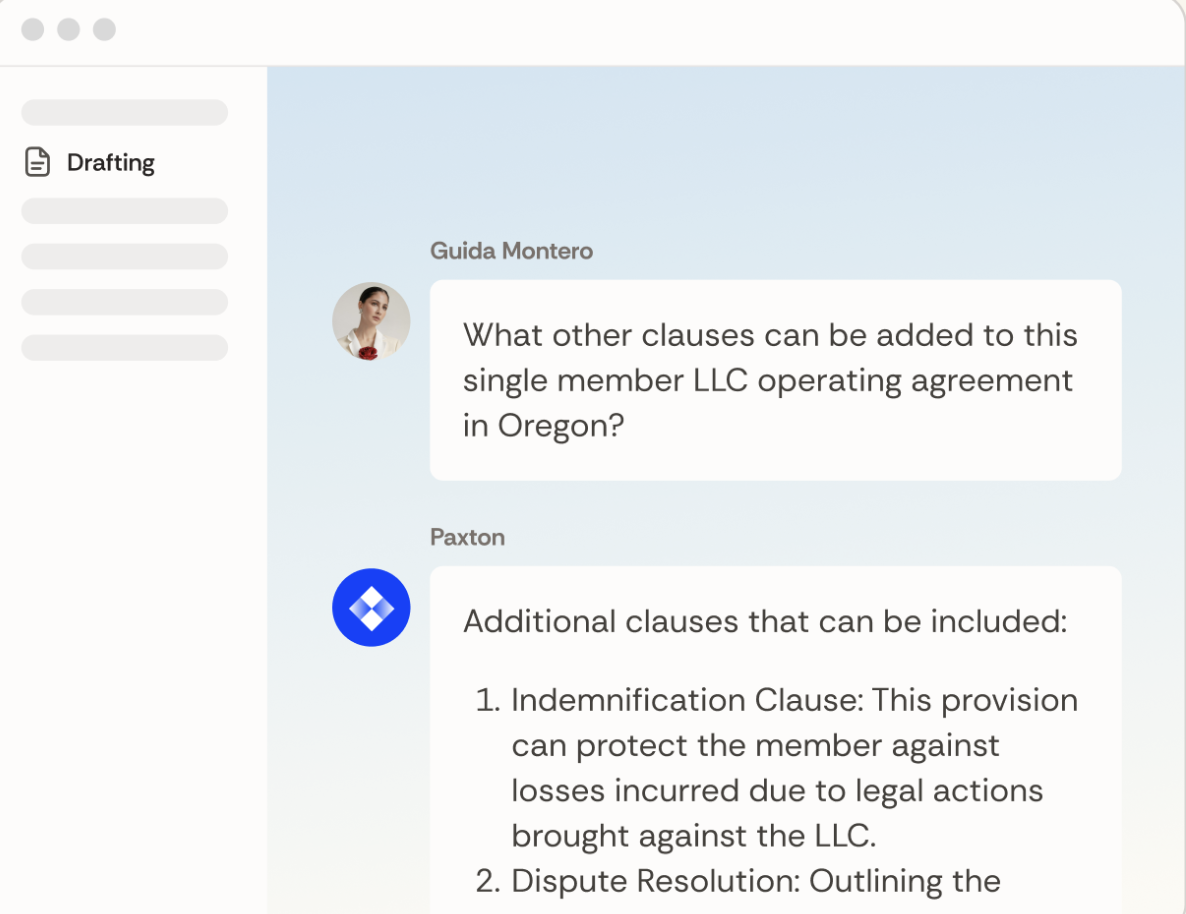
Wordsmith is an AI platform for in-house legal teams that publishes contract review, contract drafting, and legal research among its features; this comparison scopes the entry to the inbound-request workflow, because that is where Wordsmith differs most from the rest of the lineup. It captures contract requests as they arrive, triages them, drafts the redline against the team's playbook, and returns the work in the place the request came from, including Microsoft Word, Slack, and Microsoft 365. That intake-first shape is a different starting point from most tools built for AI in an in-house legal team, which assume the document is already open.
Key features
- Request intake and triage: inbound legal requests are captured and routed rather than arriving as unstructured messages.
- Playbook-based redlining: the team's positions are applied to third-party paper.
- Microsoft 365 and Slack delivery: the response lands where the business team already is.
- Word integration for document-level drafting and redlining work.
Pros
- Built for the in-house reality of mostly reviewing other parties' paper rather than drafting from scratch.
- Treats the request queue as part of the product, which drafting-only tools leave to a ticketing system.
- Delivers into Slack and Microsoft 365, so a business requester does not have to learn a legal tool.
Cons
- Does not currently publish standard pricing, and estimates vary by firm size, seat count, and deployment scope.
- Oriented to inbound third-party paper, so a firm drafting its own first drafts gets less from the intake layer.
- A newer entrant than the research incumbents, with a correspondingly shorter public track record.
Best for: In-house legal teams with a high inbound request volume and a defined playbook, particularly teams whose main complaint is intake rather than drafting.
What the vendor publishes
The intake, triage, and delivery capabilities above are described on the Wordsmith product site, which sets out the request workflow and the surfaces the work is returned in.
4. BriefCatch (best for editing a draft that already exists)
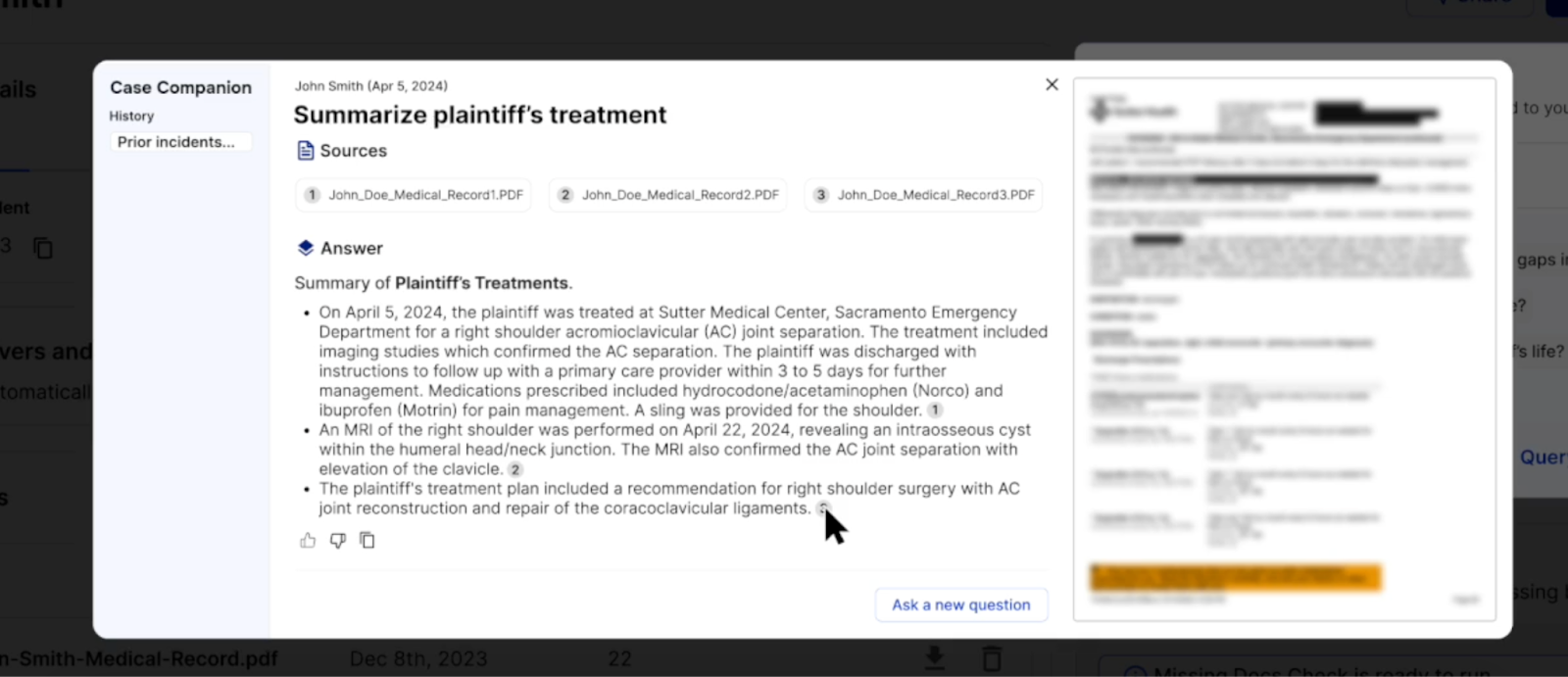
BriefCatch is the only entry here that works on text that already exists rather than generating a clause or an agreement from a plain-language instruction or a precedent set. It runs as a Microsoft Word add-in, scores an existing draft for style, flow, readability, and other editorial dimensions, and proposes rewrites in place. It was founded by Ross Guberman, its CEO and Founder, and its rules are editorial rather than substantive.
Key features
- In-document editing: suggestions appear in Word against the live draft, applied to memos, briefs, motions, opinions, and contract drafting.
- Scored editorial dimensions: a draft is measured rather than simply annotated.
- Rewrite suggestions: proposed alternative phrasings, accepted or declined one at a time.
- Citation checking and Bluebook corrections, alongside plain-language simplification of dense passages.
Pros
- Solves a real and separate problem: a document that is substantively right and badly written.
- Scores give a team a shared, repeatable standard for written work product.
- The vendor states that no document data is ever retained, which shortens the security conversation.
Cons
- Works on text that already exists. It does not generate a clause or an agreement from a plain-language instruction or a precedent set.
- Editorial rather than substantive, so it has no view on whether a clause protects the client.
- Publishes a per-seat rate, so the cost of a firm-wide rollout scales directly with seat count.
Best for: Litigation and transactional teams with a written work product standard to enforce, and any team whose drafts are accurate but hard to read.
What the vendor publishes
BriefCatch publishes its customer base as 300+ firms, including 45+ Am Law 200 firms and 80+ courts, and states on the same page that no document data is ever retained.
5. CoCounsel Legal (best for drafting from licensed third-party content)
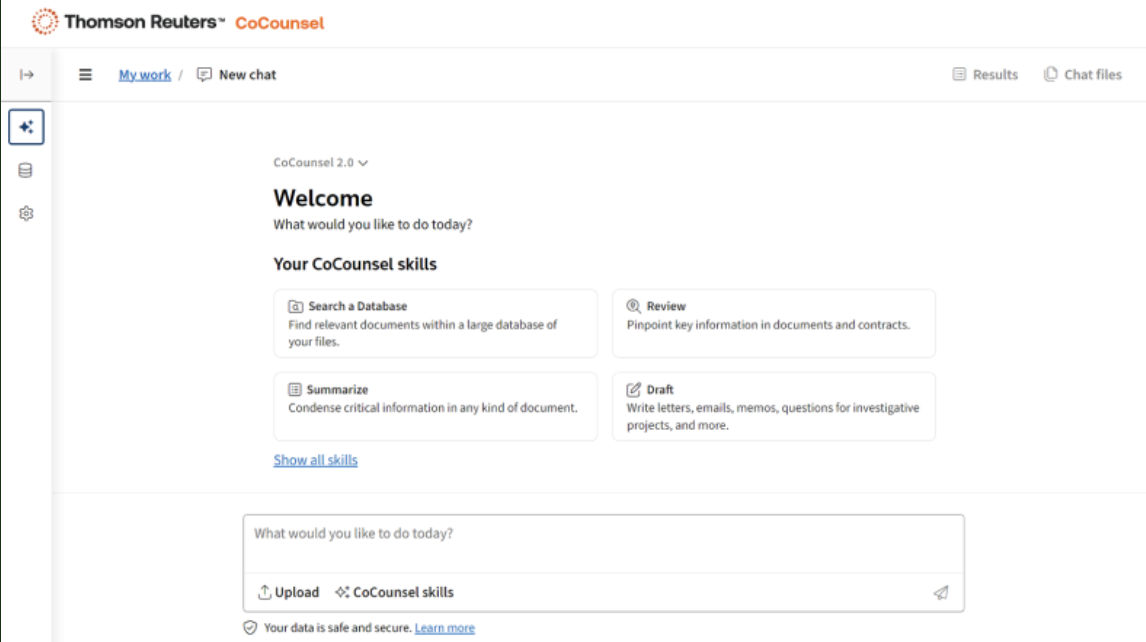
CoCounsel Legal is Thomson Reuters' AI assistant tool for legal work, and it drafts from a different source than every other tool on this list: licensed third-party content, including Westlaw and Practical Law, rather than the team's own paper. For a team that wants a clause supported by published authority rather than by its own precedent, that is the relevant distinction, and it is the same split that separates research products from writing products across the wider market for legal AI tools.
Key features
- Drafting grounded in licensed Thomson Reuters content.
- Research and drafting in one surface, with authority attached to the answer.
- Word integration for document-level drafting work.
- Document review and summarization across a set of files.
Pros
- The only entry here whose drafting language is backed by a licensed, maintained legal content library.
- Research and drafting sit in the same tool, which suits a team that moves between them constantly.
- A long-established vendor, with the support and procurement track record that implies.
Cons
- Quote based, with no published rate, and priced as an enterprise purchase.
- Draws on licensed content rather than the team's own positions, so the first draft is well supported rather than house standard.
- The value depends heavily on whether the team already licenses the underlying Thomson Reuters products.
Best for: Mid-size and large firms already invested in Westlaw and Practical Law that want drafting and research grounded in the same content library.
What the vendor publishes
Thomson Reuters documents the drafting, research, and review capabilities on the CoCounsel Legal product page, which also sets out which of its products the assistant tool draws on.
6. General chat models: ChatGPT, Claude, and Gemini (best for early experimentation on non-sensitive work)
There is no single best ChatGPT model for legal writing, because every general chat model, including ChatGPT, Claude, and Gemini, shares the same limitation: none has access to a team's precedent, playbooks, or defined positions, and none returns tracked changes in the document. They produce competent general prose on request, which is useful for an outline, a plain-language explanation, or a first pass at a non-sensitive internal memo.
Key features
- Open-ended drafting and rewriting from a prompt, in a browser or desktop app.
- Summarization and explanation of text pasted into the session.
- Free tiers alongside paid consumer subscriptions.
Pros
- Free or near-free tiers, so a team can test what AI drafting feels like before committing budget.
- Strong at explaining, summarizing, and restructuring text that is already in hand.
- No procurement cycle and no implementation.
Cons
- No access to the team's own precedent, so the output is generic by construction.
- Returns prose in a browser rather than tracked changes in the document, which leaves the lawyer to do the conversion.
- Confidentiality terms vary by provider and by plan tier, which is a question to settle before any client document goes near one.
Best for: Early experimentation, internal explanation, and non-sensitive drafting, rather than client-facing agreements.
What the vendors publish
Anthropic documents Claude's capabilities on its own product page. OpenAI and Google publish ChatGPT's and Gemini's capabilities on their own product pages as well.
The specific question of what a lawyer can and cannot responsibly put into a general model is covered in the guide to ChatGPT for lawyers.
[cta-2]
Which AI drafting tools use a firm's own templates and style guides?
An AI drafting tool that uses firm-specific templates and style guides draws its language from documents the firm has already produced, rather than from a general model or a licensed library. Three grounding sources exist in this category, and they produce visibly different first drafts.
The three places an AI drafting tool gets its language
The first is the team's own paper: signed agreements, saved templates, a clause library, and the playbook that records preferred and fallback positions. Spellbook, Draftwise, and Wordsmith all sit here, differing in what they treat as the primary record. Spellbook builds from the clause library and the playbook, Draftwise from the signed agreement set and its negotiation outcomes, and Wordsmith from the playbook applied to inbound requests.
The second is licensed third-party content, which is where CoCounsel Legal sits. A clause drafted this way is well supported and professionally maintained, and it is not the firm's house position. The two are not interchangeable, and a team that has spent years standardizing its own language usually wants the first source rather than the second.
The third is general training data, which is what the chat models offer. There is no firm-specific layer at all, so style matching is limited to whatever a lawyer pastes into the prompt and restates each session.
How to test where a tool's language comes from
A practical test separates the three quickly. A team should take a clause it has negotiated many times, ask the tool to draft that clause for a new counterparty, and check whether the output carries the team's own defined terms, its preferred liability cap structure, and its usual carve-outs. If the result reads like a textbook clause, the tool is not grounded in the team's paper regardless of what the feature list says. Comparing the result against market positions through clause benchmarking then shows whether the house position is defensible.
Matching a firm style guide
Style guides are the narrower half of the question. Where a tool applies a firm's formatting, defined-term conventions, and numbering, it usually does so by learning from the documents it is pointed at rather than by reading a written style guide, so the quality of the source set decides the quality of the match. Where the source set is inconsistent, the match will be too. The glossary of clause types in the clause index is a useful cross-check when deciding which clauses are standardized enough to be worth grounding against.
How accurate is AI for legal drafting?
Legal drafting AI is accurate enough to produce a usable first draft and not accurate enough to go out unreviewed, and the practical question is how it fails rather than how often.
What a preregistered study of legal research tools found
In the first preregistered evaluation of AI legal research tools, Stanford RegLab and HAI tested the retrieval-grounded legal research products from LexisNexis and Thomson Reuters in the study Hallucination-Free? Assessing the Reliability of Leading AI Legal Research Tools and found that they each hallucinate between 17% and 33% of the time. That study measured legal research tools, not drafting tools, so the figure does not transfer to the products on this list. What transfers is the finding underneath it: grounding a model in real source documents reduces invention without eliminating it, which is exactly why the grounding source is the capability worth interrogating.
How drafting fails differently from research
Drafting fails differently from research. A research tool fails by inventing a case or misstating a holding, which is conspicuous and checkable against a citator. A drafting tool fails by producing a defined term that is used but never defined, a cross-reference that points at the wrong subsection, a liability cap that contradicts the indemnity it sits beside, or a fallback position the team does not actually accept. None of those announces itself, and none of them is caught by reading the clause in isolation.
Three checks for an AI-generated draft
- Defined terms: every capitalized term used in the document is defined once, and every defined term is used.
- Cross-references: every internal reference points at the section it names, which is the error most likely to survive a careful read of each clause on its own.
- Position consistency: the drafted terms match the playbook, particularly where a clause was generated rather than retrieved from precedent.
Measuring a team's own accuracy rate
A team measuring its own accuracy rate should track the share of AI-drafted clauses that survive review unedited, segmented by clause type, because the number is very different for a mutual non-disclosure agreement (NDA) than for a bespoke earn-out. Aggregate accuracy figures hide that split.
Which AI legal writing tools work inside Microsoft Word?
The best AI for legal drafting that works inside Microsoft Word is the one that returns its output as tracked changes in the live document, because the alternative is prose in a browser that a lawyer then has to reconstruct as edits. Five of the six tools compared here run in Word: Spellbook, Draftwise, Wordsmith, BriefCatch, and CoCounsel Legal. The general chat models do not.
Related Article: AI Legal Writing in 2026
What a Word add-in does with the output
Word add-ins differ in what they do with the output. A tool that opens a panel and displays suggested text has moved the copy-paste step rather than removed it. A tool that writes into the document as native tracked changes produces something a reviewing partner or counterparty can accept, reject, and comment on using the conventions the profession already runs on.
Why the redline trail matters
The practical difference shows up in the handoff. When AI output arrives as prose, the redline trail is reconstructed by hand, and the record of who changed what goes with it. That matters on third-party paper in particular, where the redline is the negotiation artifact and its history is evidence of what was conceded and when. A drafting tool that cannot write tracked changes is therefore a poor fit for the negotiation stage even where it drafts well from a blank page.
Word add-ins as a category
Word add-ins have their own selection criteria, covering installation across a managed desktop estate, add-in behavior in protected view, and how a panel coexists with the other tools already in the ribbon. Those questions are handled in the guide to Word add-ins for legal drafting, and they are worth settling with an IT team before a pilot rather than after one.
Which tools simplify legal language into plain English?
The best online tools to simplify legal language into plain English are, for professional use, a short list: BriefCatch is the only tool among the six compared here whose primary job is making a legal document easier to read, and it does that work inside Word against the live draft.
Why consumer simplifiers do not transfer
Much of the wider market for this is built for consumers rather than for practitioners. A search for a tool to simplify legal language returns browser extensions, PDF utilities, and standalone summarizers built for a non-lawyer trying to understand a lease or an employment offer. Those tools paraphrase, which suits a reader trying to understand a document and does not suit a practitioner redrafting one: a commercial lawyer simplifying a clause needs the obligation, the trigger, and the remedy to survive the rewrite intact, and a paraphrase that loses a condition precedent has not simplified the clause but changed it.
Legal Robot is no longer a current option
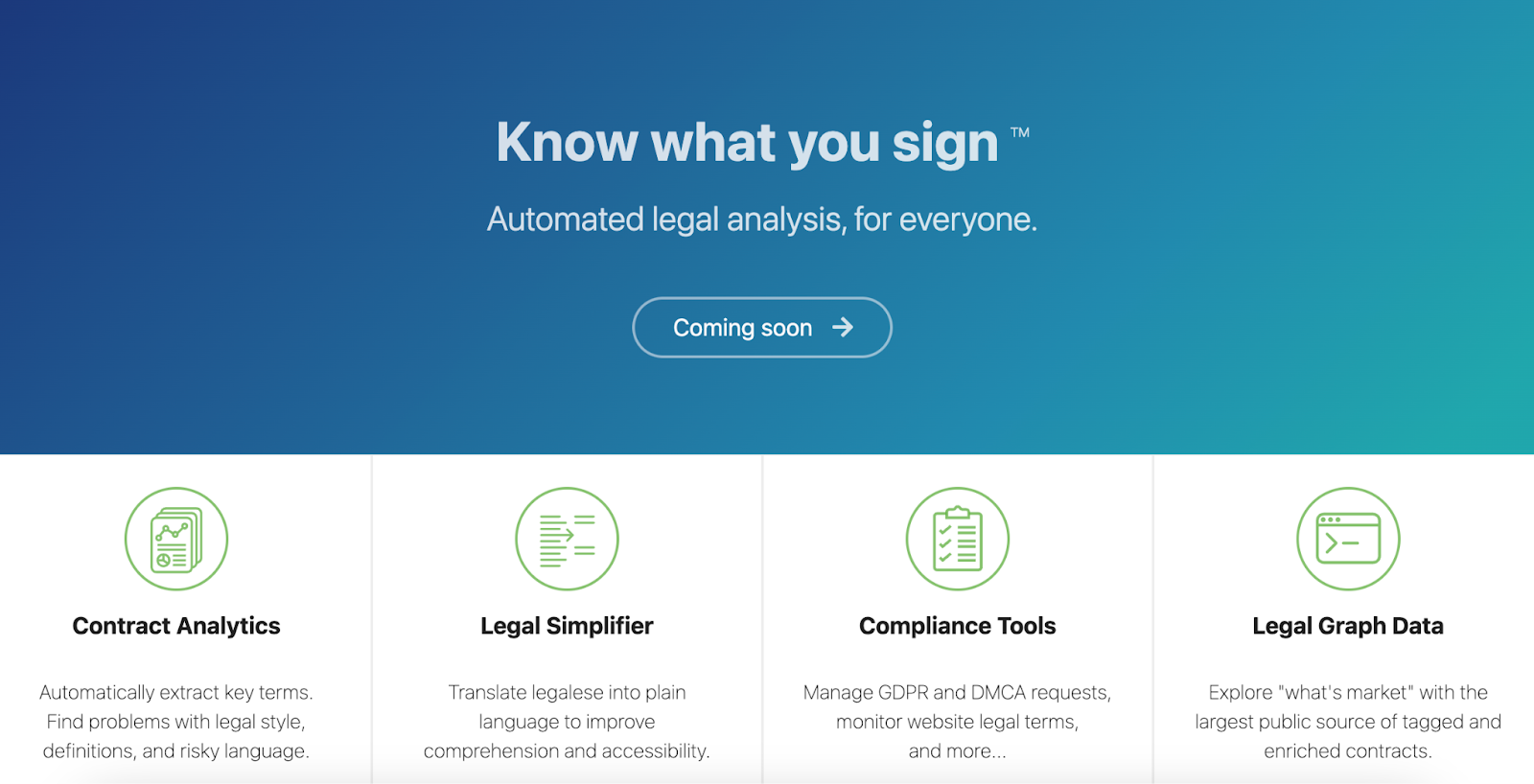
Legal Robot, which built legalese translation and style review for legal text, now serves a placeholder page at legalrobot.com with no product, pricing, or documentation behind it.
Two simplification jobs, two tolerances for error
For a commercial team, the practical approach separates two different jobs. Simplifying for an internal or business audience is a summarization task, and a general model handles it adequately where the document is not confidential. Simplifying the operative language of an agreement is a drafting task, and it belongs in the document with the change tracked, which is where AI legal editing and a drafting tool with document-wide revision earn their place. The two jobs look similar and have different tolerances for error.
Which AI tool is best for drafting legal documents, by document type?
Which AI tool is best for drafting legal documents depends on the document. Four cases cover most commercial practice.
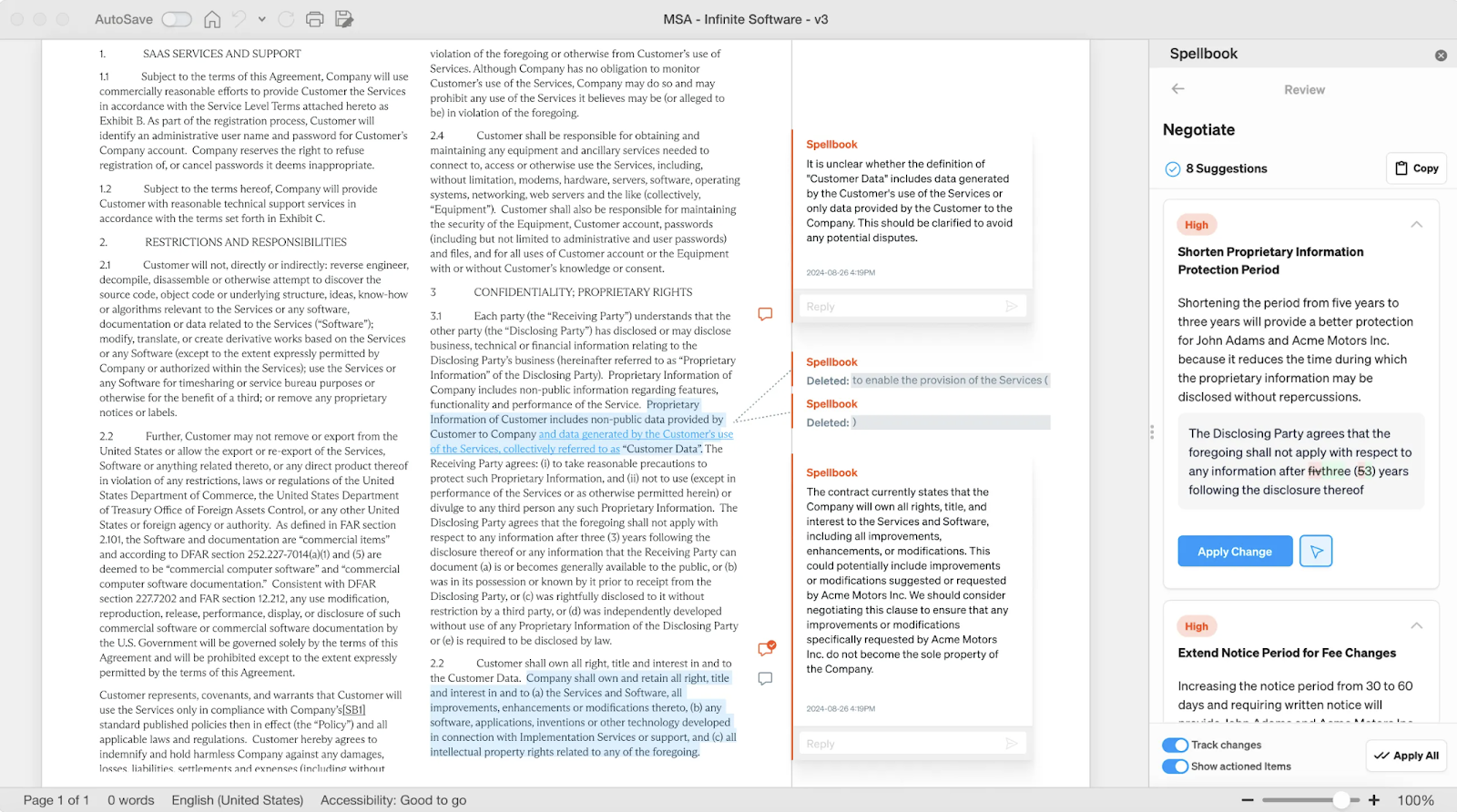
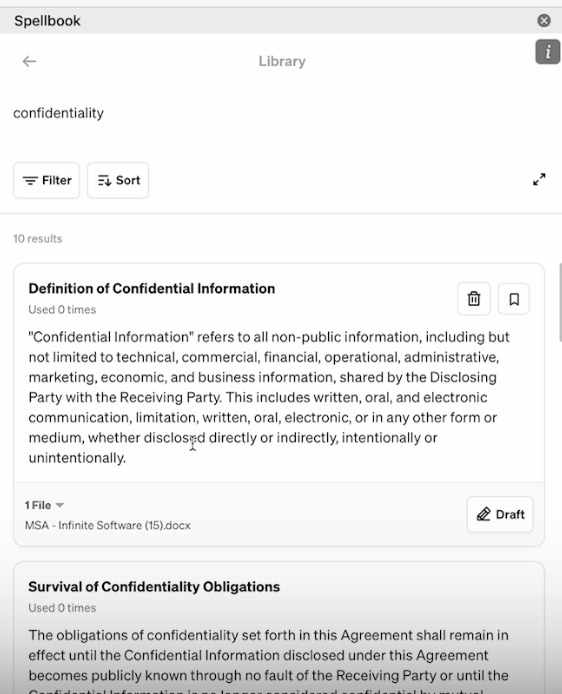
- Commercial agreements and clauses, drafted from the team's own standards: a tool grounded in the clause library and playbook, which is Spellbook's case, or in the firm's signed agreement set, which is Draftwise's.
- Inbound third-party paper arriving as business requests: a tool that captures and triages the request alongside the redline, which is Wordsmith's case.
- Research-backed memos and advice, where the language needs published authority behind it: CoCounsel Legal, drawing on licensed content.
- An existing draft that needs to read better rather than say something different: BriefCatch, editing in place.
Document types this list does not cover
Litigation briefs, motions, and court filings have their own tool set, their own citation verification problem, and their own expectations for AI-assisted work, all of which are covered in the guide to AI legal brief writing. Pleadings and filings should be matched to a tool built for them rather than to a commercial drafting tool with a litigation setting, so teams whose written product is mostly briefs should start there instead.
What AI legal writing tools cost?
AI legal writing tool pricing is mostly unpublished. Of the six options compared here, exactly one puts a seat rate on its own website. An evaluation of this category therefore usually begins with a sales conversation rather than a price page.
What each of the six publishes
BriefCatch is the exception. Its currently published pricing sits in the $60 to $75 per seat per month range on annual billing, with the lower rate applying to a single seat and the higher one to the multi-seat plan.
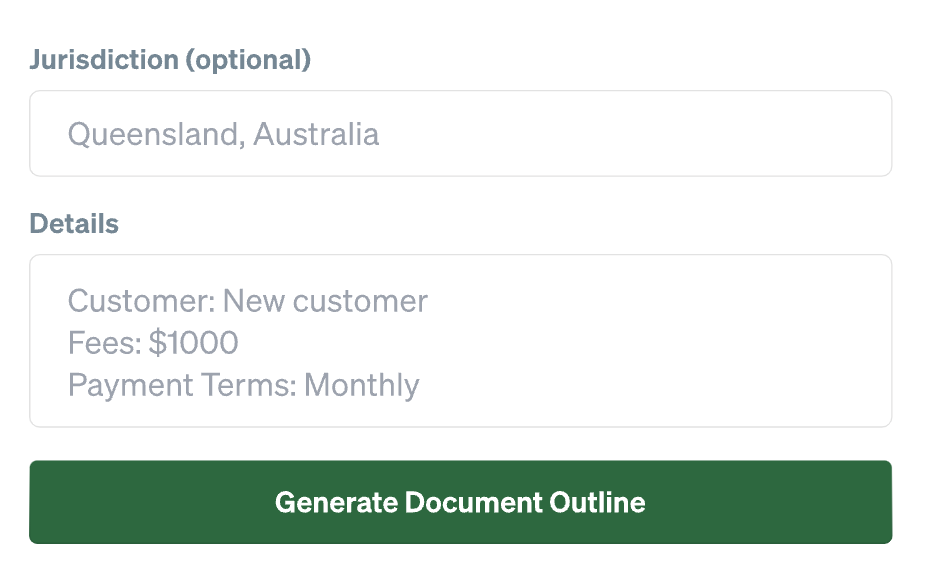
The other five price on request, with different reasons. Draftwise and Wordsmith do not currently publish standard pricing, and estimates for each vary by firm size, seat count, and deployment scope. CoCounsel Legal is quote based and typically sits inside a broader Thomson Reuters relationship. Spellbook prices custom per seat according to team size and offers a free seven-day trial that starts without a sales call, and publishes no dollar figure. The general chat models carry consumer subscription tiers that change often enough that a current check is worth more than a quoted number.
How to budget for it
For budgeting purposes, the practical read is that an editing add-in is a per-seat software line item, while a drafting platform is an annual commitment negotiated against seat count, and the two are not substitutes for each other. A team running a pilot should price both the seats in the pilot and the seats the rollout would need, because the per-seat rate on a small plan may not hold at firm-wide scale.
[cta-3]
Frequently asked questions
Can AI draft legal documents?
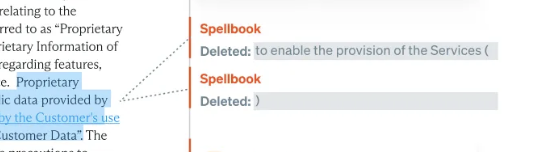
Yes, AI can draft legal documents, and the output is a first draft rather than a final one. Specialist legal drafting tools generate clauses and full agreements from a template, a precedent set, or a plain-language instruction, and the quality of the draft tracks the quality of the source material the tool is grounded in. A lawyer reviews and approves the result, and that review is where the common drafting errors surface: a defined term that is used but never defined, and a cross-reference pointing at the wrong subsection.
Do AI legal writing tools integrate with a document management system?
Many do. Legal AI tools commonly offer direct integrations with practice management software and with document management systems (DMS), or application programming interface (API) connections, where the firm's own software connects directly to the tool rather than through its interface. Tools built as Word add-ins inherit whatever document location the firm already uses. Integration depth varies considerably between a two-way sync and a one-directional export, so the question to put to a vendor is which direction the integration runs and what happens to version history when a document moves.
Is AI legal writing software secure?
Security varies by vendor, and three checks separate the serious options from the rest. The first is whether the vendor holds a current SOC 2 Type II report and will share it. The second is the data retention term: how long inputs and outputs are held, and whether a zero-retention arrangement is available. The third is whether submitted documents are used to train a model, which is a contractual question rather than a technical one and should be answered in writing before any client document is uploaded.
Is there a free AI for legal writing?
The general chat models have free tiers, and no specialist legal writing tool in this category offers a permanently free plan. Several specialist vendors offer a time-limited free trial, which is a different proposition: a trial is an evaluation window on the full tool, while a free tier is an ongoing limited version. For a team testing whether AI drafting suits its work at all, a free chat model answers the question cheaply, provided no confidential client document goes into it.
How much do AI document tools for legal teams cost, and what is the typical ROI?
AI document tools for legal teams vary in price depending on features and team size. BriefCatch costs $60–$75 per user per month with annual billing, while Spellbook, Draftwise, Wordsmith, and CoCounsel Legal offer custom pricing. ROI depends on time saved drafting and reviewing documents, reduced manual editing, and improved contract turnaround times. There is no universal ROI benchmark, so teams should measure results during a pilot.
What is the best AI document tool for legal teams for contracts vs. memos?
The best AI document tool for legal teams depends on the document type. Spellbook is designed for drafting, reviewing, and redlining commercial contracts using a firm's own precedents and playbooks. CoCounsel Legal is better suited for research-backed legal memos using Westlaw and Practical Law content, while BriefCatch helps improve the clarity and readability of existing drafts.
Which AI document tool for legal teams works best inside Microsoft Word?
Spellbook is a strong choice for legal teams drafting and reviewing commercial contracts inside Microsoft Word. It generates clauses, reviews agreements, and suggests revisions using native Track Changes. Draftwise, Wordsmith, CoCounsel Legal, and BriefCatch also integrate with Word, but each focuses on different tasks, from precedent-based drafting to legal research and editorial improvements.
How do AI document tools for legal teams use a firm's own precedent?
AI document tools for legal teams use a firm's existing agreements, clause libraries, templates, and playbooks to generate drafts that reflect its preferred language and legal positions. Spellbook draws from firm precedents and playbooks, while Draftwise analyzes signed agreements and past negotiation outcomes. Lawyers must still review generated language for accuracy, consistency, and compliance with firm standards.
Where to start
See how the Draft feature works in Word on a team's own precedent, starting with the clause the team drafts most often.
- Monthly AI spend
- ROI of legal tools
- Impact of AI



.png)
.jpg)
.png)
.svg)



Submission Received
Thank you for your interest!
.svg)
