


Demo Spellbook, get an Oura Ring 5*
See how Spellbook helps legal teams draft contracts faster than ever before.
Book Demo


An AI legal research assistant is software that searches case law, statutes, and contract precedent from a plain-language question, then returns an answer with citations the lawyer can open and check. The five AI legal research assistants worth evaluating for law firms are Spellbook for contract research, Lexis+ with Protégé and CoCounsel Legal for primary-law research, Harvey for cross-practice matters, and Alexi for litigation memos. Which AI legal research assistant fits depends on whether the work is transactional or litigation, which sources the tool is grounded in, and how it exposes citations for verification.
An assistant with a thin citation trail means the lawyer re-runs the search manually to verify it, which erases the time the tool was supposed to save. For law firms weighing one of these tools, the fit question comes down to what the assistant is grounded in and how easily its citations can be checked against a primary source.
[cta-1]
AI legal research assistants compared
| Tool | Best for | Grounded in | Citation verification | Where it runs |
|---|---|---|---|---|
| Spellbook | Contract research and review | The firm’s own playbooks and 20M+ real contracts | Review flags cite the specific clause or contract precedent they drew from | Microsoft Word and Google Docs |
| Lexis+ with Protégé | Primary-law research and drafting | LexisNexis case law, statutes, and secondary sources | Results the vendor describes as verified and traceable | The Lexis+ platform |
| CoCounsel Legal | Primary-law research with document workflows | Westlaw and Practical Law | Citations link back to the underlying Westlaw source | Microsoft Word, Outlook, and the CoCounsel platform |
| Harvey | Cross-practice research at larger firms | The firm’s own documents plus licensed legal, regulatory, and tax content in Knowledge | Citations trace to the source document or authority in Vault and Knowledge | Harvey’s own workspace |
| Alexi | Litigation research memos | Firm-knowledge grounding plus primary law across North America | Memos cite the case law and statutes the memo relies on | Alexi’s private environment |
The five best AI legal research assistants for law firms
The best AI legal research assistant for a law firm depends on the work it has to carry: Spellbook for contract drafting and review inside Word, Lexis+ with Protégé and CoCounsel Legal for primary-law research backed by their own databases, Harvey for cross-practice matters at larger firms, and Alexi for litigation research memos.
1. Spellbook - Best for contract research and review
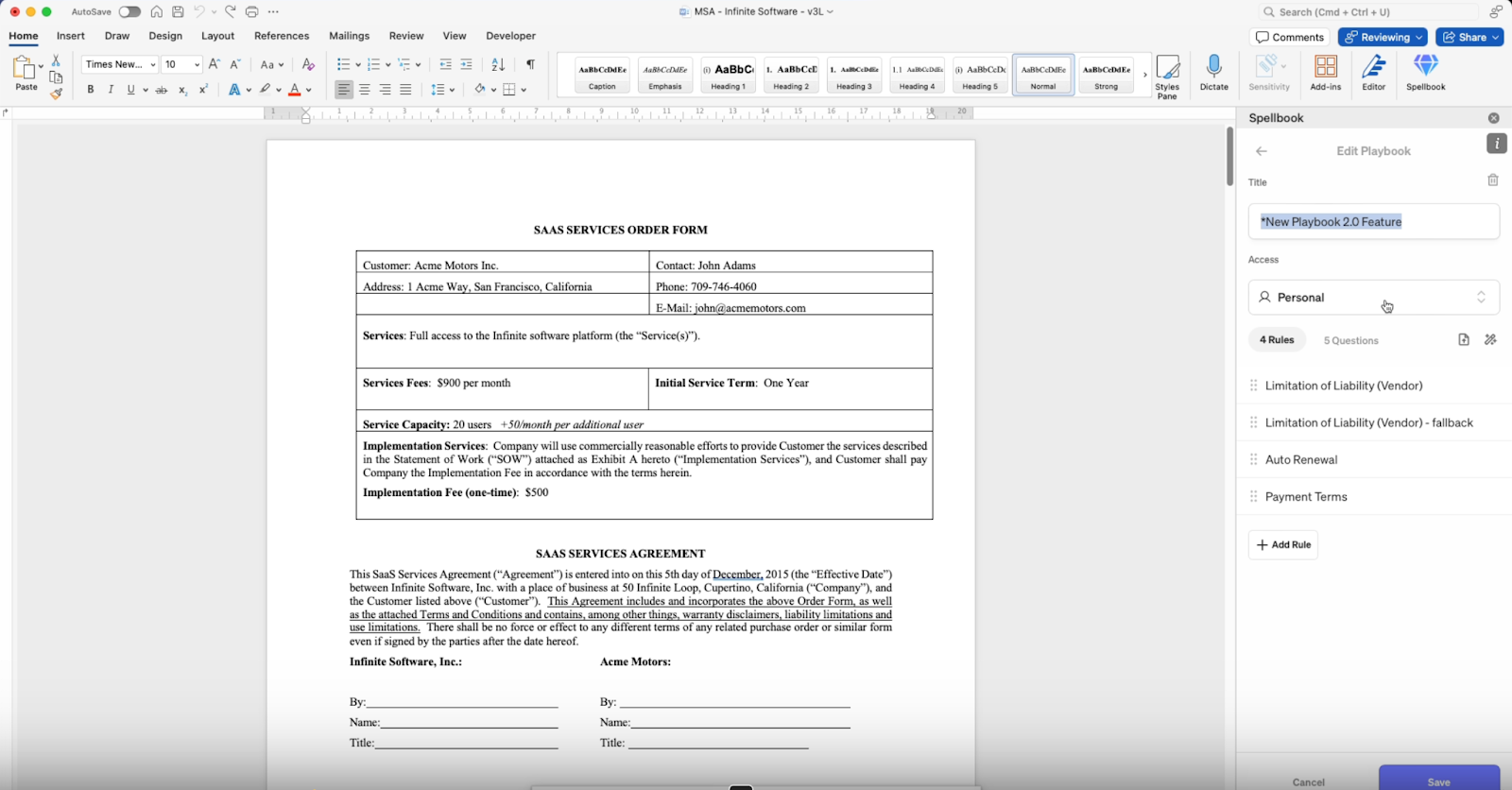
Spellbook is built for commercial-contract work rather than case-law research: the Review feature flags risk and proposes redlines as native Word tracked changes, the Draft feature produces a first pass from the firm’s own playbooks, and Compare to Market checks language against a bank of 20M+ real contracts. It runs in Word and Google Docs, grounded in the firm’s own playbooks and precedent rather than a general web index.
Pros
- Grounded in the firm’s own playbooks and 20M+ real contracts, so output reflects house standards rather than generic drafting
- Runs natively inside Word and Google Docs, so lawyers review and redline where they already work
- The Review feature points to the specific clause or contract precedent behind a flagged risk
- Playbooks let the firm encode its own negotiation standards once and apply them across every contract reviewed
Cons
- A contract specialist, not a case-law research platform: a litigator researching statutes or case law needs a primary-law tool alongside it
- Research depth is bounded by the firm’s own contract set and playbooks, not a licensed case-law database
2. Lexis+ with Protégé - Best for primary-law research and drafting
Lexis+ with Protégé, formerly Lexis+ AI, combines the Protégé assistant with LexisNexis’s own case law, statutes, and secondary sources for drafting, research, and analysis.
Pros
- Deep LexisNexis case-law and secondary-source coverage, built for primary-law research
- Drafting, research, and analysis in one product rather than three separate tools
- Answers link back to the underlying Lexis source rather than stopping at a case name
- Established LexisNexis brand and support for firms already inside that ecosystem
Cons
- Access runs through a LexisNexis database subscription, so the tool is tied to that licensing decision rather than a standalone purchase
- Protégé’s scope sits inside the Lexis+ research and drafting workflow, grounded in Lexis content rather than the firm’s own playbooks and prior contracts
3. CoCounsel Legal - Best for primary-law research with document workflows
CoCounsel Legal is the current Thomson Reuters product built on Westlaw and Practical Law, pairing case-law research with document-review workflows such as summarizing a deposition transcript or extracting terms across a document set.
Pros
- Westlaw and Practical Law grounding for primary-law research
- Combines research tasks with document-review tasks in one tool
- Backed by an established litigation-research database
Cons
- Priced and sold as part of the Thomson Reuters stack, which ties adoption to that platform decision
- Built around Westlaw and Practical Law content, so firms already outside that ecosystem take on a separate licensing and training step
- Drafts and reviews using Westlaw and Practical Law content rather than benchmarking language against the firm’s own prior contracts
4. Harvey - Best for cross-practice research at larger firms
Harvey is built for cross-practice research at large firms and in-house teams: Knowledge searches legal, regulatory, and tax sources in one query, and Vault runs that same research across a bulk set of documents during diligence or investigations.
Pros
- Cross-practice coverage spanning legal, regulatory, and tax research
- Vault handles bulk document analysis across matter-wide document sets, not just single queries
- Agents can chain several research steps across a matter without a new prompt for each one
- Spaces keeps matter-specific documents and research organized for teams running the same matter together
Cons
- Built for large-firm-scale deployment, with the sales and onboarding process that implies
- Knowledge and Vault are separate modules, so a team scoping the tool may need to license both rather than one
5. Alexi - Best for litigation research memos
Alexi runs in a private environment and covers both litigation and transactional matters, producing research memos grounded in the firm’s own knowledge plus primary law across North America.
Pros
- Produces drafted research memos, formatted for direct use in a brief or opinion letter, rather than a list of cases to synthesize manually
- Firm-knowledge grounding alongside primary law, so memos reflect the firm’s own prior work
- Runs in a private environment rather than a shared public platform
- Covers litigation and transactional work through the same research-memo workflow, rather than a separate tool per practice area
Cons
- Coverage is scoped to North America, so firms researching other jurisdictions need a separate tool
- Firm-knowledge grounding means onboarding time to load the firm’s own playbooks and prior work before answers reflect house standards
[cta-2]
What to look for in an AI legal assistant
The features you should look for in an AI legal assistant are grounding in primary law or firm documents, citation links a lawyer can open, the ability to run where the work already happens, security terms that fit client confidentiality duties, and controls that encode the firm’s own standards.
Grounding in primary law or firm documents
A research assistant grounded only in a general web index returns plausible-sounding answers without confirming the underlying law still applies in the relevant jurisdiction. Grounding in a licensed case-law database, or in the firm’s own playbooks and contract precedent for transactional questions, is what makes the resulting legal research checkable rather than fluent.
Citation links a lawyer can open
A usable citation is one the lawyer can open to the source document, not a case name with no pinpoint. Without an openable citation, verifying the answer means running the same search manually, which erases the time the tool was supposed to save.
Running where the work already happens
A research assistant that lives in a separate browser tab adds a copy-and-paste step to every answer the lawyer wants to use in a draft. A tool that runs inside Word, the practice-management system, or the document the lawyer is already editing removes that step.
Security terms that fit confidentiality duties
The professional-conduct rules on confidentiality apply to client data regardless of what the vendor’s terms permit. The questions to put to a vendor before signing: where client data is processed, whether it trains the vendor’s models, and what the data-retention period is after the matter closes.
Controls that encode the firm’s own standards
A general-purpose assistant answers from public training data. A tool that lets the firm load its own playbooks, precedent, and risk tolerances applies the firm’s own standard to every answer, not a generic one.
How to verify an AI research citation before filing
Verifying an AI legal research citation takes four steps: confirm the case or statute exists in a primary database, read the passage the assistant quoted, confirm the proposition the citation is offered for, and check that the authority is still good law. In its benchmark of Lexis+ AI, Westlaw’s AI-Assisted Research, and Ask Practical Law AI as they stood when the study ran, Stanford HAI found that the Lexis+ AI and Ask Practical Law AI systems returned incorrect information more than 17 percent of the time and that Westlaw’s AI-Assisted Research hallucinated more than 34 percent of the time, so verification is a required step and not a precaution.
1. Confirm the authority exists
Open the case or statute in a primary database such as Westlaw, Lexis, or a court’s own site, and confirm it exists under the citation given. A fabricated or misquoted citation that is not caught here reaches the filing unnoticed.
2. Read the passage the assistant quoted
Read the actual passage in the primary source, not the assistant’s summary of it. A summary can be accurate in tone and wrong on the specific holding.
3. Confirm it supports the proposition
Check that the case or statute actually supports the proposition the assistant cites it for, not a related but distinct point.
4. Check it is still good law
Confirm the authority has not been overruled, reversed, or superseded by a later statute, using a citator such as KeyCite or Shepard’s. An AI assistant’s training cutoff is not a substitute for a citator check.
ABA Formal Opinion 512 sets out a lawyer’s competence, confidentiality, and verification duties when using generative AI in practice, and the duty to verify applies no matter which tool produced the research. A lawyer who files a citation without having verified it is accountable for that error, as the sanctions against a lawyer who filed fabricated AI citations show.
How to choose an AI legal research assistant for your firm
Choosing an AI legal research assistant comes down to the firm’s profile: a solo or small firm needs primary-law coverage and month-to-month terms, a mid-sized firm needs a tool its lawyers will adopt inside Word or the browser they already use, a large firm needs cross-practice coverage and firm-knowledge grounding, and an in-house team needs contract depth over case law. Match the profile first: the firm-size breakdown below turns that match into a vendor evaluation.
Solo and small firms
Prioritize primary-law coverage and month-to-month terms over a long contract, since budget and usage both tend to be unpredictable at this size.
Mid-sized firms
Prioritize a tool lawyers will actually open: a tool outside the lawyer’s daily surface adds a step to every answer, and that is what adoption turns on.
Large firms
Prioritize cross-practice coverage and firm-knowledge grounding, since a large firm’s research load spans more practice areas than any single narrow tool covers well.
In-house teams
Prioritize contract depth over case-law breadth: an in-house team’s research volume runs through its own contracts and precedent far more often than through case law, which is why its shortlist usually runs wider than research alone, into the broader set of legal AI tools.
AI legal research assistants and paralegal work
An AI legal research assistant and a paralegal do different parts of the same job: the assistant retrieves authority, summarizes documents, and drafts a first research memo, while the paralegal decides which authority is relevant, verifies every citation, and manages the filing. No AI legal assistant carries the professional accountability a human paralegal does: the paralegal remains the one who signs off on what gets filed, which is why AI is unlikely to replace paralegals even as the search step moves to software.
Frequently Asked Questions About AI Legal Research Assistants
Is there an AI legal assistant that works inside Word?
Several AI legal research and contract assistants run inside Microsoft Word rather than a separate browser tab, which lets a lawyer pull a citation or redline into the document they are already editing. Confirm this with the vendor before buying, since not every research-focused assistant runs inside Word; some are built as a standalone platform instead.
Can a lawyer use an AI research assistant for court filings?
An AI research assistant can draft a first pass of a brief or memo, but the lawyer filing it is accountable for every citation in it under the professional-conduct rules, including ABA Formal Opinion 512’s verification duty. Treat the assistant’s output as a draft that needs the four-step verification above before it goes anywhere near a filing.
Are there trusted AI research assistants for lawyers working in-house?
In-house teams can trust an AI research assistant to the extent it is grounded in sources they can check: a licensed case-law database for regulatory questions, or the company’s own contract set for commercial questions. The trust question is less about the vendor’s brand and more about whether the in-house team can open the underlying source and confirm it before relying on the answer.
Are AI legal research assistants secure enough for client data?
Security depends on the vendor’s specific terms, not the category: ask where client data is processed, whether it is used to train the vendor’s models, and what happens to it after the matter closes. A tool with a SOC 2 Type II report and a stated zero-data-retention policy clears the bar mature firms set; a tool that cannot answer those three questions does not.
What is the difference between an AI legal research assistant and a general chatbot?
A general chatbot answers from broad public training data and often cannot point to a specific, checkable source. An AI legal research assistant is built to search a licensed legal database or a firm’s own documents and return an answer with a citation the lawyer can open and verify, which is the feature that makes it usable for legal work rather than just informative.
[cta-3]
Put a contract specialist into the research mix
Try Spellbook free for seven days and run the Review feature against the firm’s own contracts before committing to anything.
- Monthly AI spend
- ROI of legal tools
- Impact of AI









Submission Received
Thank you for your interest!

