


.png)
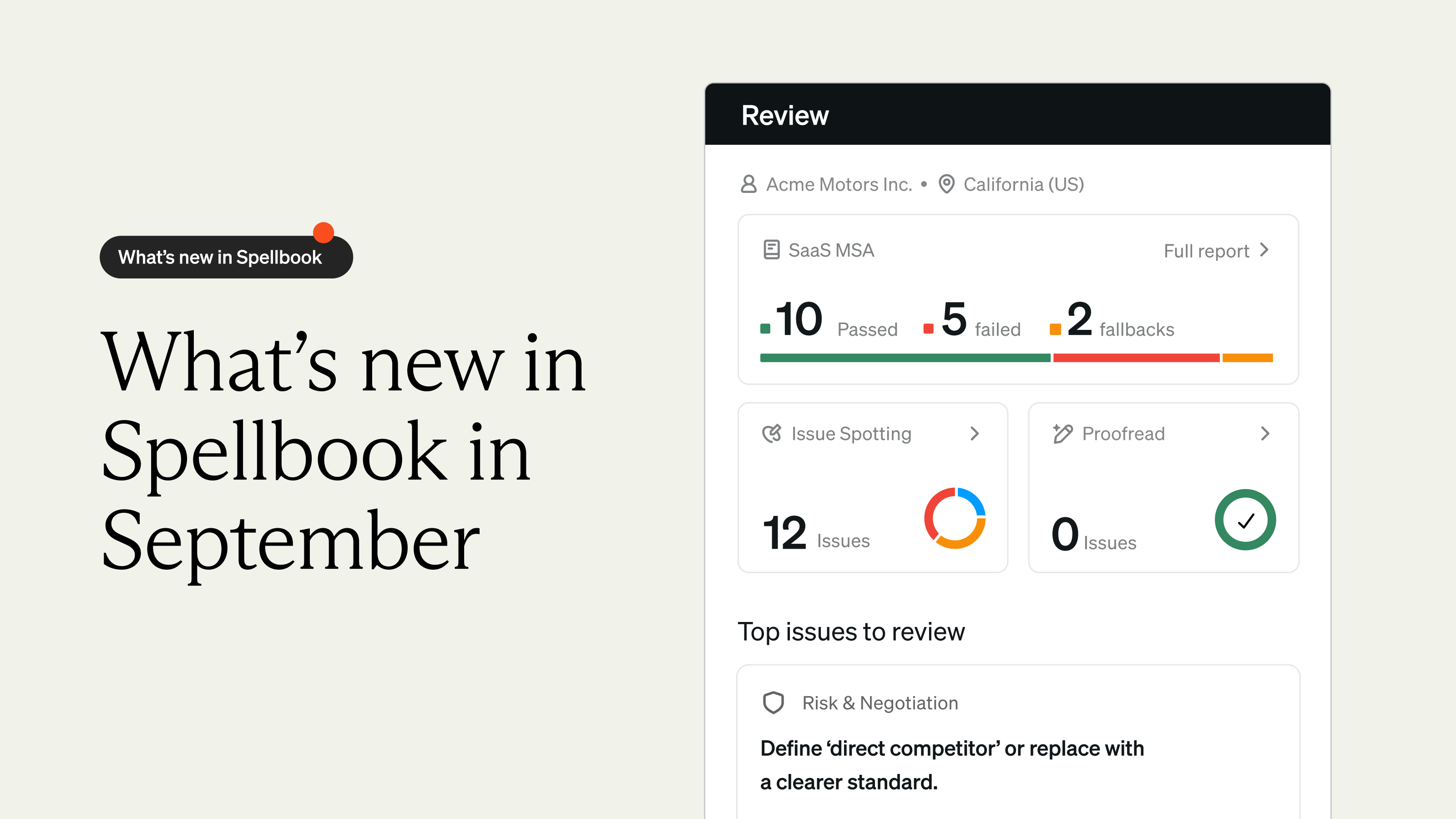
We released seven updates across the Spellbook product suite, including Spellbook's debut in Google Docs, a fresh set of Starter Playbooks, and more ways to put Associate to work.
So with that, let's get into it.
Spellbook now lives in Google Docs
Whether your team reviews contracts in Microsoft Word or Google Docs, Spellbook now works in both.
Google Docs Add-in (Beta)
Contracts that came in through Google Docs used to mean downloading and opening them in Word before Spellbook could touch them.
.gif)
With the Google Docs Add-in, you can now run Reviews, Playbooks, and Ask directly inside Google Docs.
Lawyer-vetted Playbooks that are ready on day one
Strong contract review starts with a strong Playbook, so we built one for every contract type your team handles most.
New Starter Playbooks
Building a Playbook from scratch takes time, especially if you don't have a strong starting point.
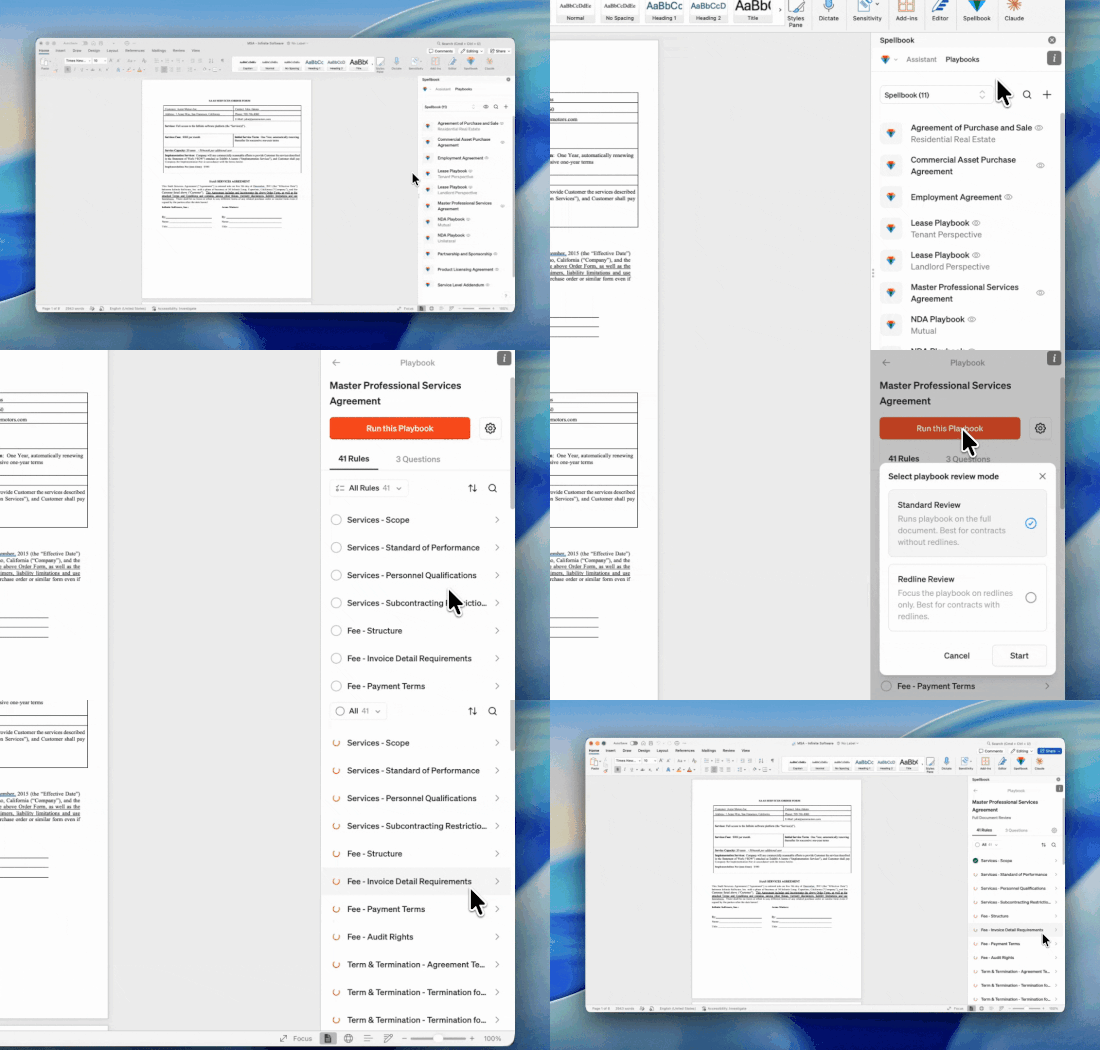
We’ve added 12 new Starter Playbooks, each built for a specific contract type and vetted by Spellbook's own legal experts. They cover the agreements lawyers work with every day, so you can clone one and customize it to your team's standards, or run it as is.
More ways to put Associate to work
With Associate, you can now share resources across your team, build workflows from plain English, and use it from your phone.
Teams in Associate
Legal work is rarely a solo effort, so the tools that support it shouldn't be either.
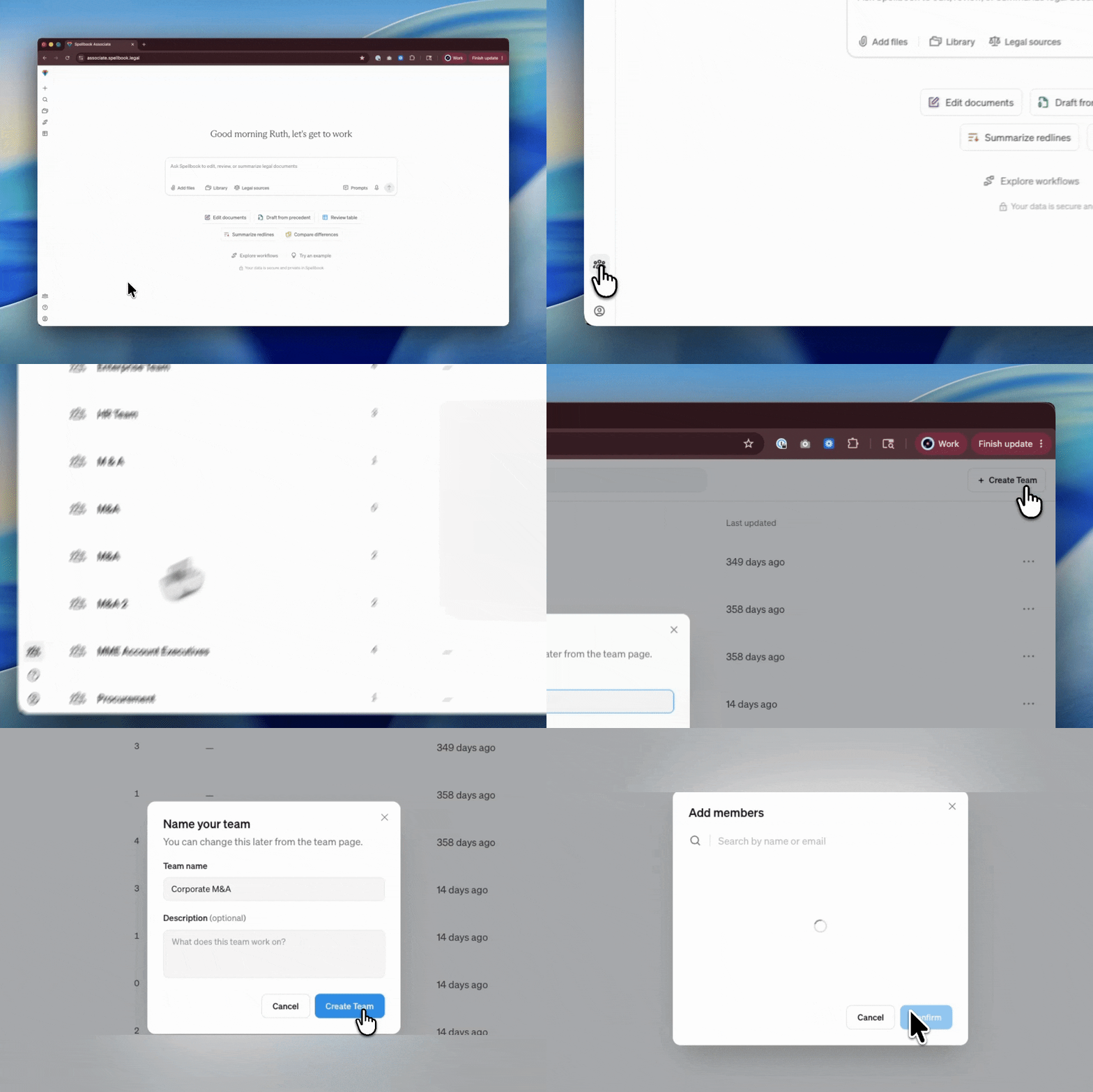
With Teams in Associate, you can now create teams, manage members, and access shared org-level resources without leaving the web or desktop app.
Note: We also rounded out role-based access control in Word this month, with the Users and Teams list and the ability to share Playbooks and Prompts with Teams.
Upgraded File Processing
Accurate citations and reliable file processing are the foundation of every Associate workflow.
Associate's file processing now runs high-quality OCR across every file type, so citations point to the exact source, and large files process reliably.
Natural Language Workflow Builder
Building a multi-step workflow from scratch used to mean knowing every step type, every prompt pattern, and putting them together by hand.
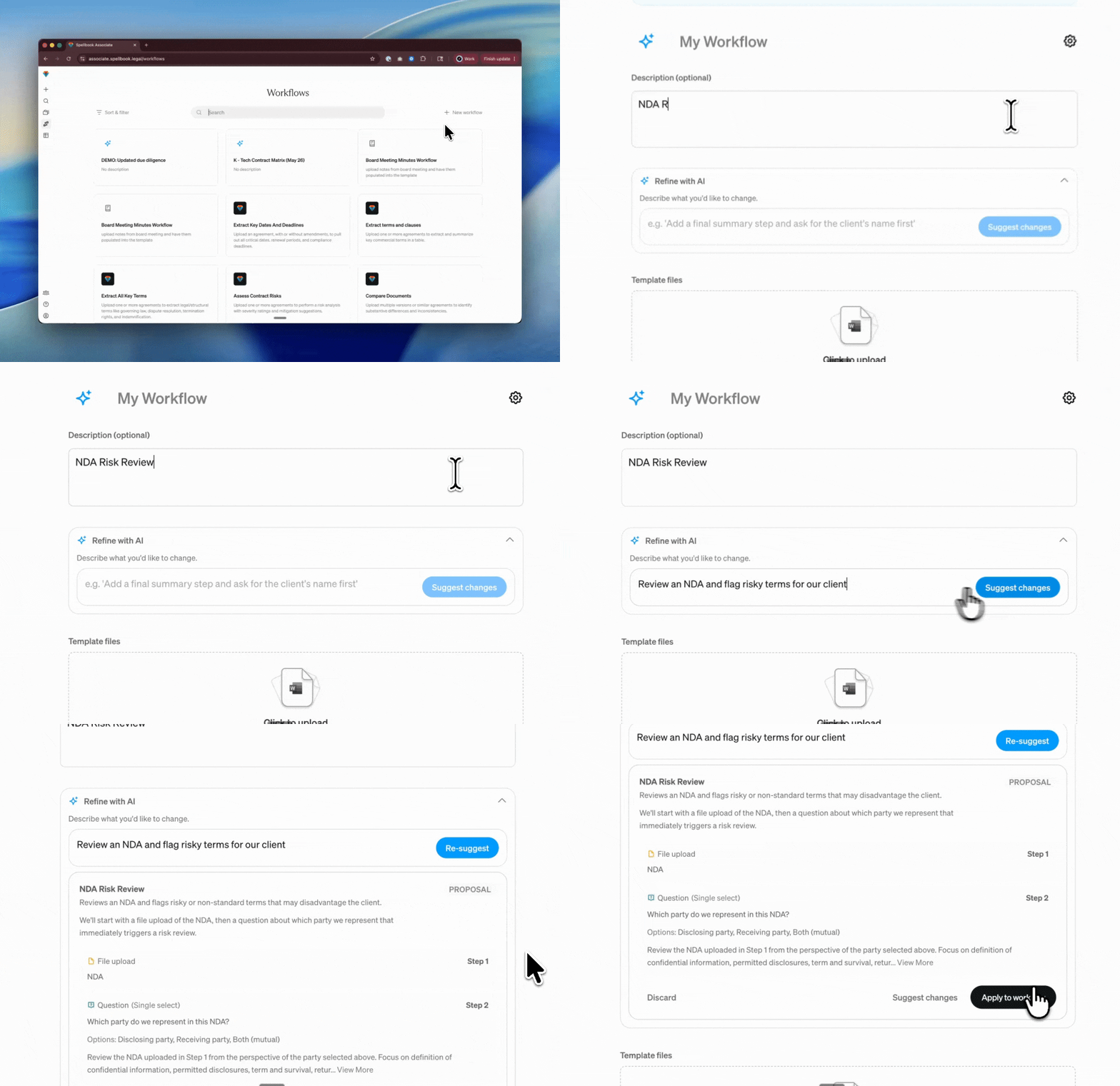
With the Natural Language Workflow Builder, you can now describe the workflow you want in plain English and Associate builds it for you. Don't like the first draft? Refine it with another prompt and keep iterating until it does what you need.
Associate Mobile-Readiness
Pulling up a project on your phone between meetings meant pinching and zooming your way through.
Associate now works on tablets and phones, so you can review a contract or check in on a project from your phone instead of waiting until you're back at your desk.
Expanded File Type Support
Email threads and screenshots used to live outside Associate's file support. If a client sent you an .eml export, an Outlook .msg, or a screenshot of a key clause, you had to convert or transcribe it before Associate could read it.
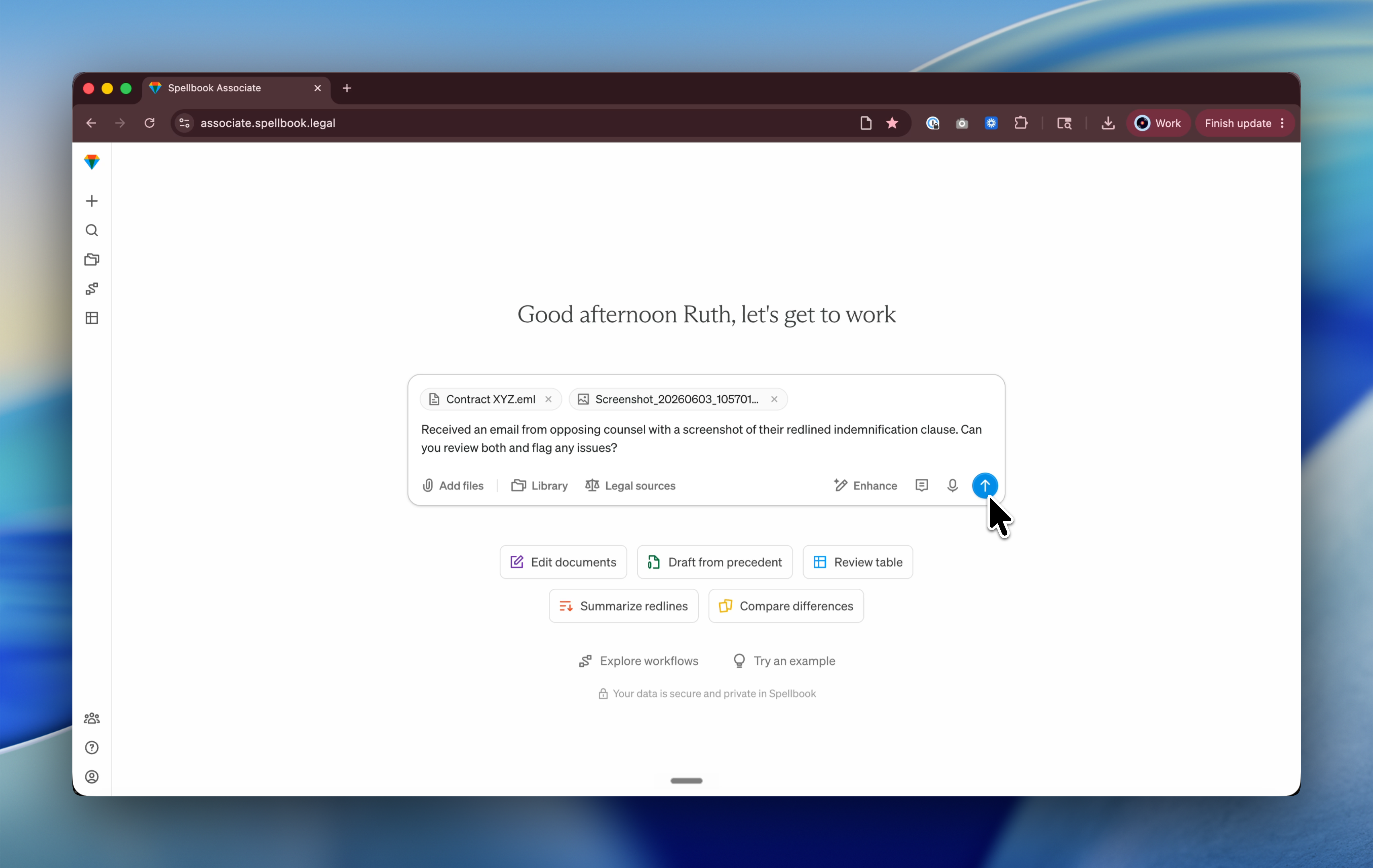
Associate now reads .eml and .msg email files (and unpacks their contents) along with .jpg, .png, and other common image formats.
[cta-1]
And that's a wrap on May.
Seven updates across the Spellbook product suite, including Spellbook's debut in Google Docs that we know a lot of you have been waiting for. June is already shaping up to be one of our biggest months yet, so stay tuned for what's next.
Already a Spellbook customer? Reach out to our support team or your CSM if you have any questions.
Not using Spellbook yet? Join the 4,000+ teams using the most complete AI suite for commercial legal work.
Download the Report
Thank you! Check your primary inbox or promotions tab for the report.
.jpg)

Submission Received
Thank you for your interest!
.svg)
